
Turn Your iPhone/iPad into a Beatpad: Meet TuneDeck Soundboard Studio
 Rule Mobile app launch
TuneDeck Soundboard Studio is live.
Rule Mobile is officially introducing TuneDeck Soundboard Studio, a fast music sketchpad for iPhone and iPad. Trigger colorful pads, shape synth-style tones, sequence quick ideas, and save app-generated performances as WAV files.

 iPhone and iPad
 WAV export
 Beat studio
Built for ideas before they disappear.
Inspiration does not always arrive when a full studio is open. TuneDeck is made for the first few seconds of an idea: the quick rhythm, the strange texture, the pad hit that makes a loop feel alive.
The app turns a phone or tablet into a colorful, playable soundboard. Creators can tap pads by hand, tune the feel, run simple patterns, and save the moment as a shareable WAV file when it is worth keeping.
It fits the Rule Mobile music lane naturally, from RM Radio and artist posts to quick social audio demos and beat-sketching experiments.
The TuneDeck flow
Tap, shape, sequence, record, and save a soundboard moment before the idea fades.

Tap pads fast
Trigger colorful sound pads with preset decks that feel closer to an instrument than a settings screen.
Shape the feel
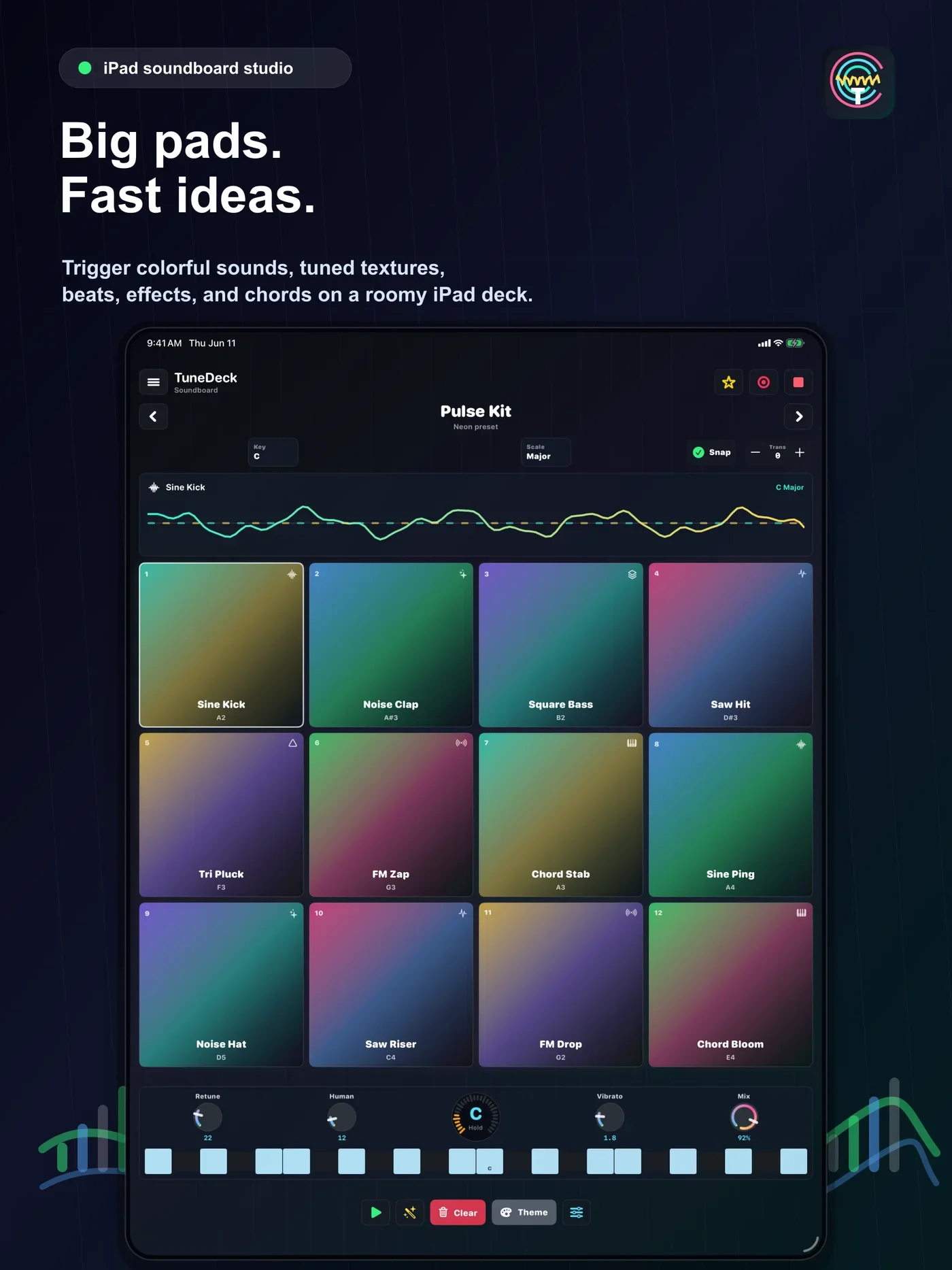
Use key, scale, snap, transpose, retune, humanize, vibrato, and mix controls to keep ideas musical.

Sequence patterns
Let the app play quick patterns back, adjust tempo, and turn a single hit into a rhythmic sketch.
Save WAV moments
Capture app-generated soundboard performances and export finished takes through iOS Files.
Launch demos, made for the feed.
To celebrate the release, Rule Mobile put TuneDeck through a bright phone-first demo: fast pads, tuned colors, and a pocket studio feel that matches how creators actually share ideas now.


What it looks like
Colorful performance pads, one-tap recording, pitch and scale controls, and custom decks all stay close to the surface.
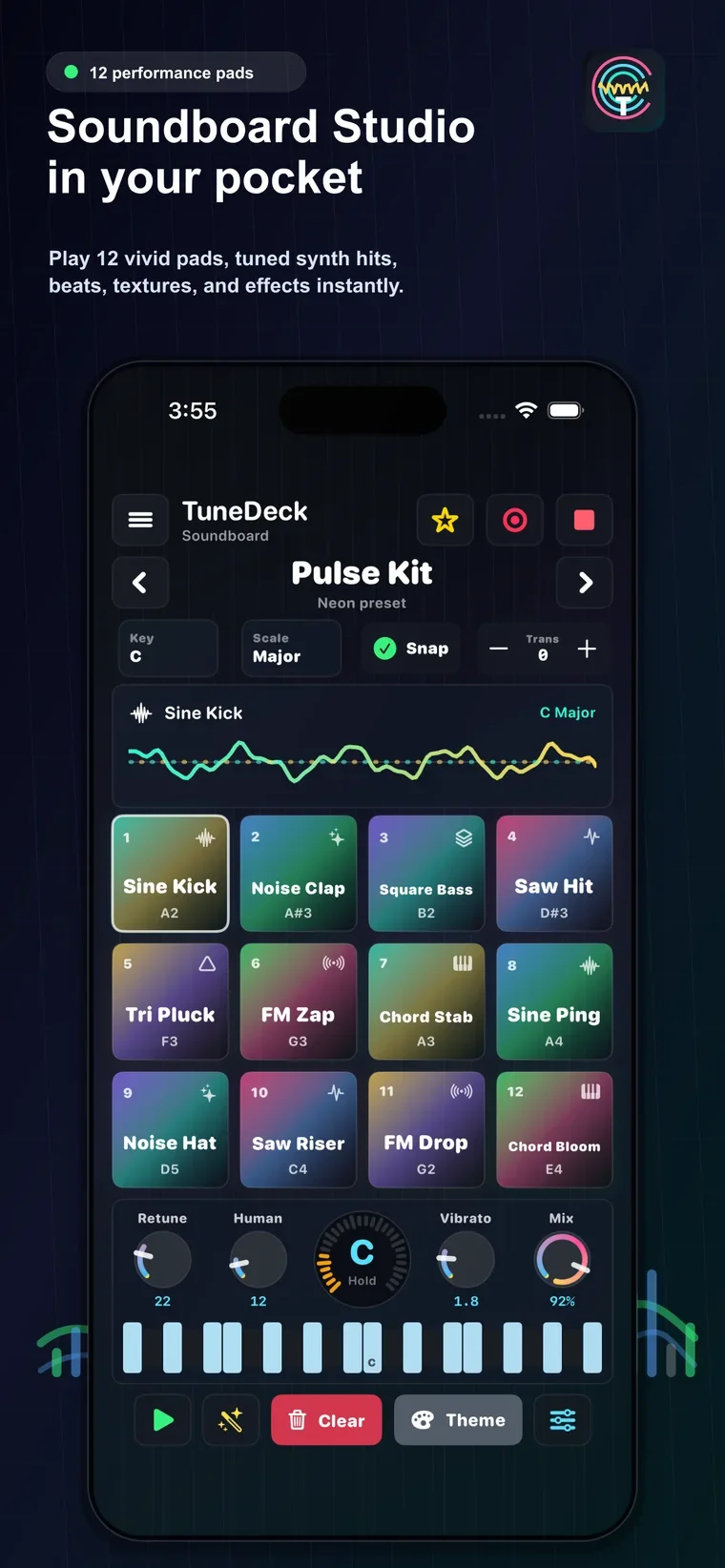 Soundboard Studio in your pocket
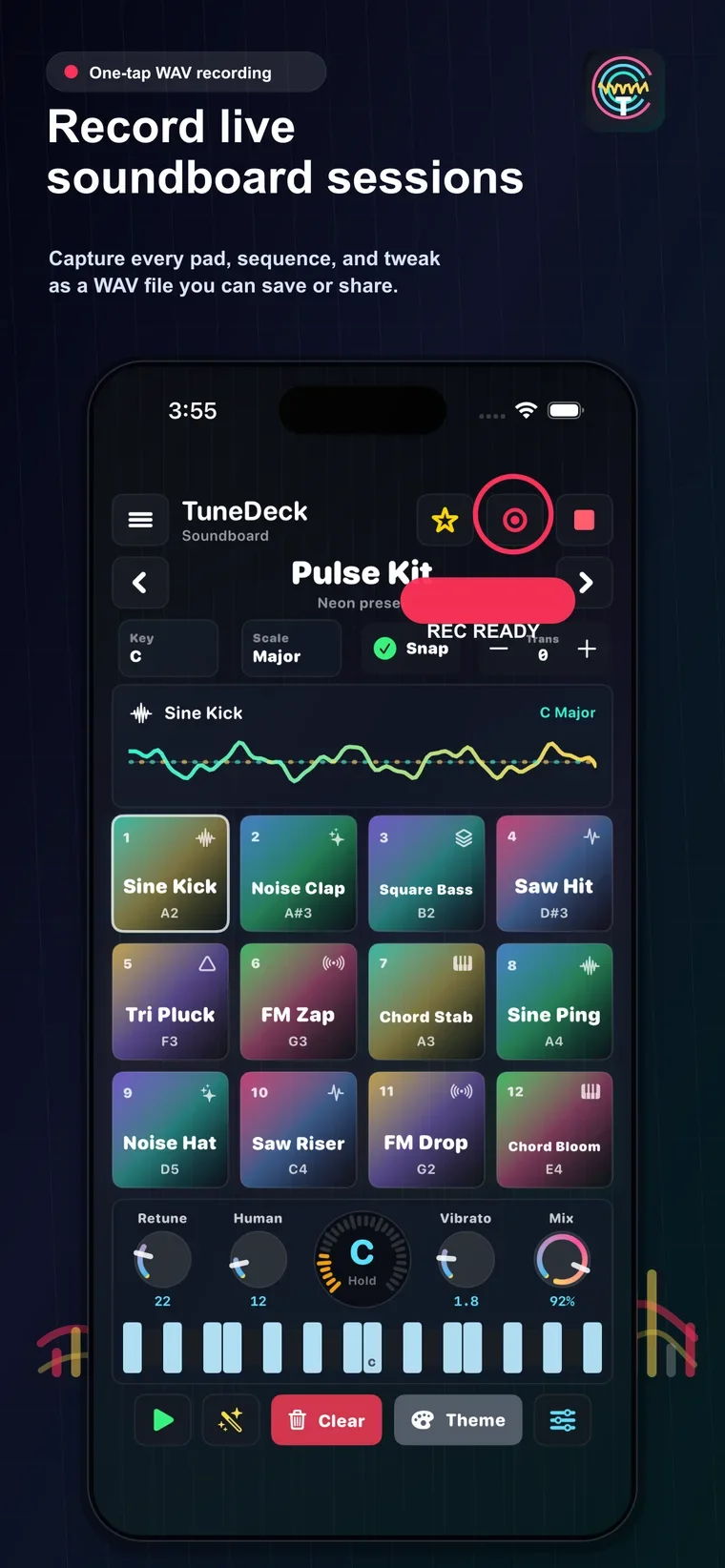 Record live soundboard sessions
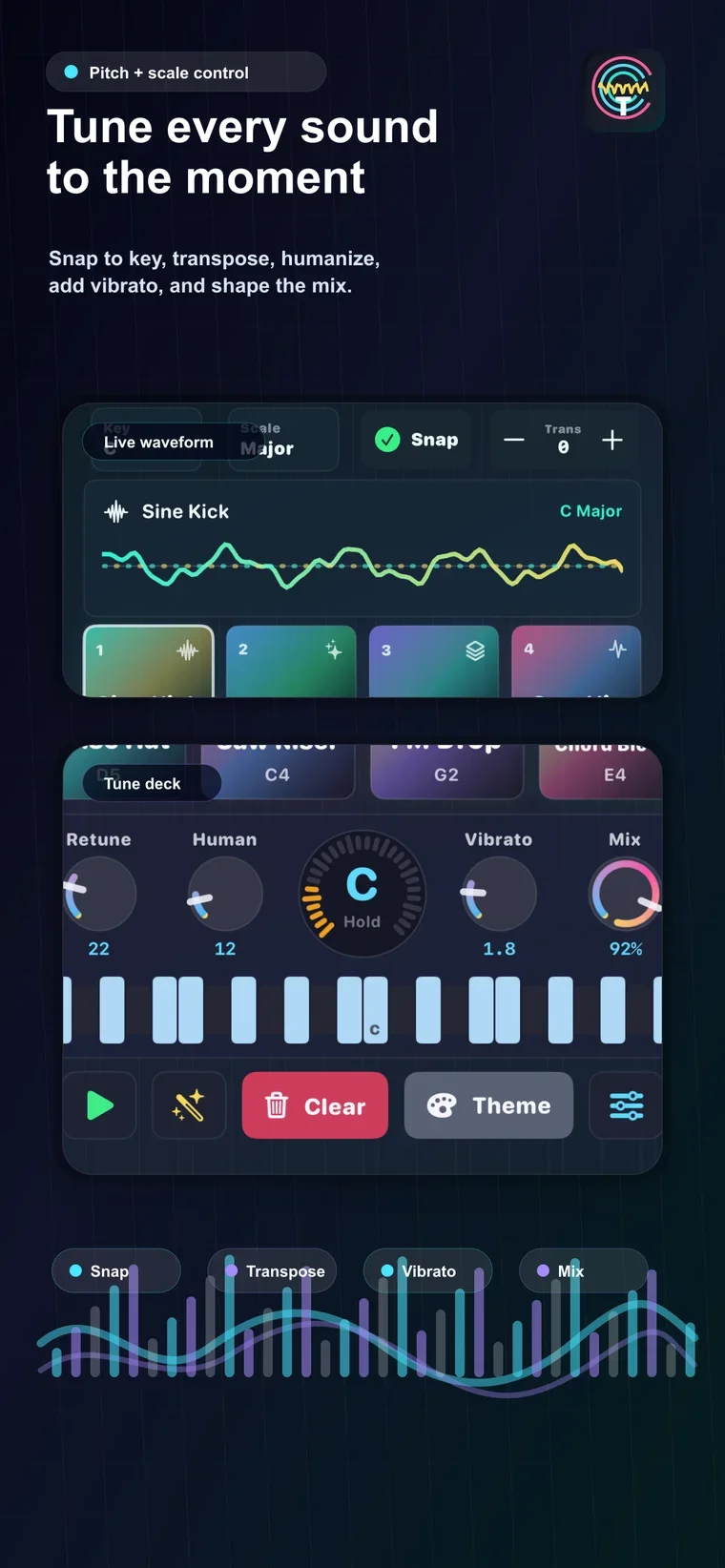 Pitch, scale, snap, and mix tools
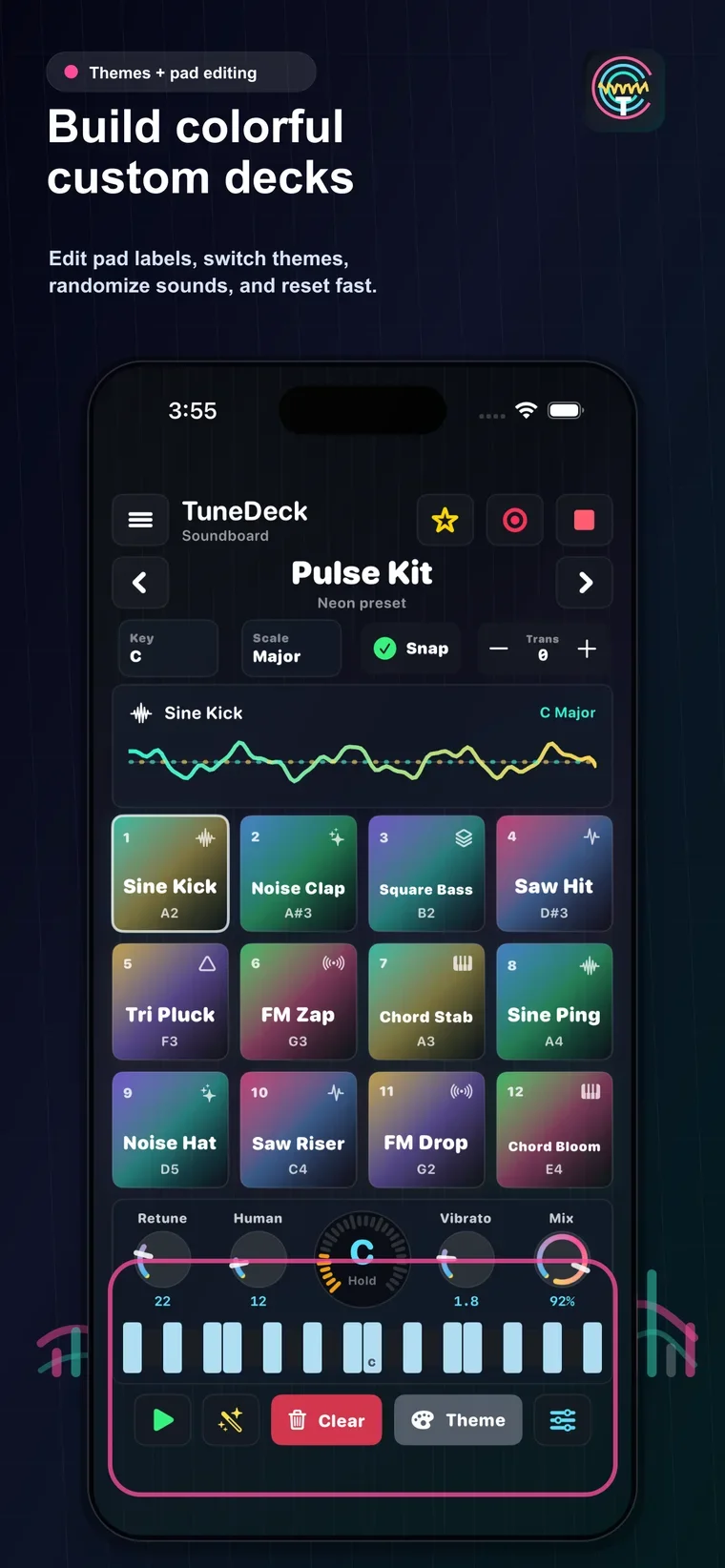 Build colorful custom decks
Simple, private, and creator-friendly.
TuneDeck keeps the experience focused on playing and saving ideas. The recorder captures app-generated soundboard output, not microphone audio, and finished WAV files are saved or shared only when the user chooses.
-
 No login required
Open the app and start playing.
No login required
Open the app and start playing.
-
 On-device workflow
Presets, settings, and recordings stay local.
On-device workflow
Presets, settings, and recordings stay local.
-
 No ads or tracking
The App Store privacy label says data is not collected.
No ads or tracking
The App Store privacy label says data is not collected.
-
User exports
Save WAV files through iOS Files when ready.
Who is TuneDeck for?
Performers, creators, musicians, streamers, and anyone who wants quick audio energy without opening a full production setup.
What does it export?
TuneDeck records app-generated soundboard performances and saves them as high-quality WAV files that can be kept or shared.
What devices does it support?
TuneDeck is built natively for iPhone and iPad and requires iOS 17 or iPadOS 17 or later to run smoothly.
Ready to build an audio sketch?
Download TuneDeck, tap a preset deck, record a quick take, and bring your next beat into the Rule Mobile music lane.
Apple, App Store, iPhone, and iPad are trademarks of Apple Inc. Other names, marks, and platforms belong to their respective owners.
