
 EFUGY 3D SlicerMobile slicing, preview, G-code export
Rule Mobile app
EFUGY 3D slicing for iPhone and iPad.
Download EFUGY 3D Slicer on the App Store to import STL and OBJ files, choose printer and material settings, preview slicing results, review G-code, and export print-ready files from iPhone or iPad.
 STL/OBJ model prep
 Mobile print review
 G-code export

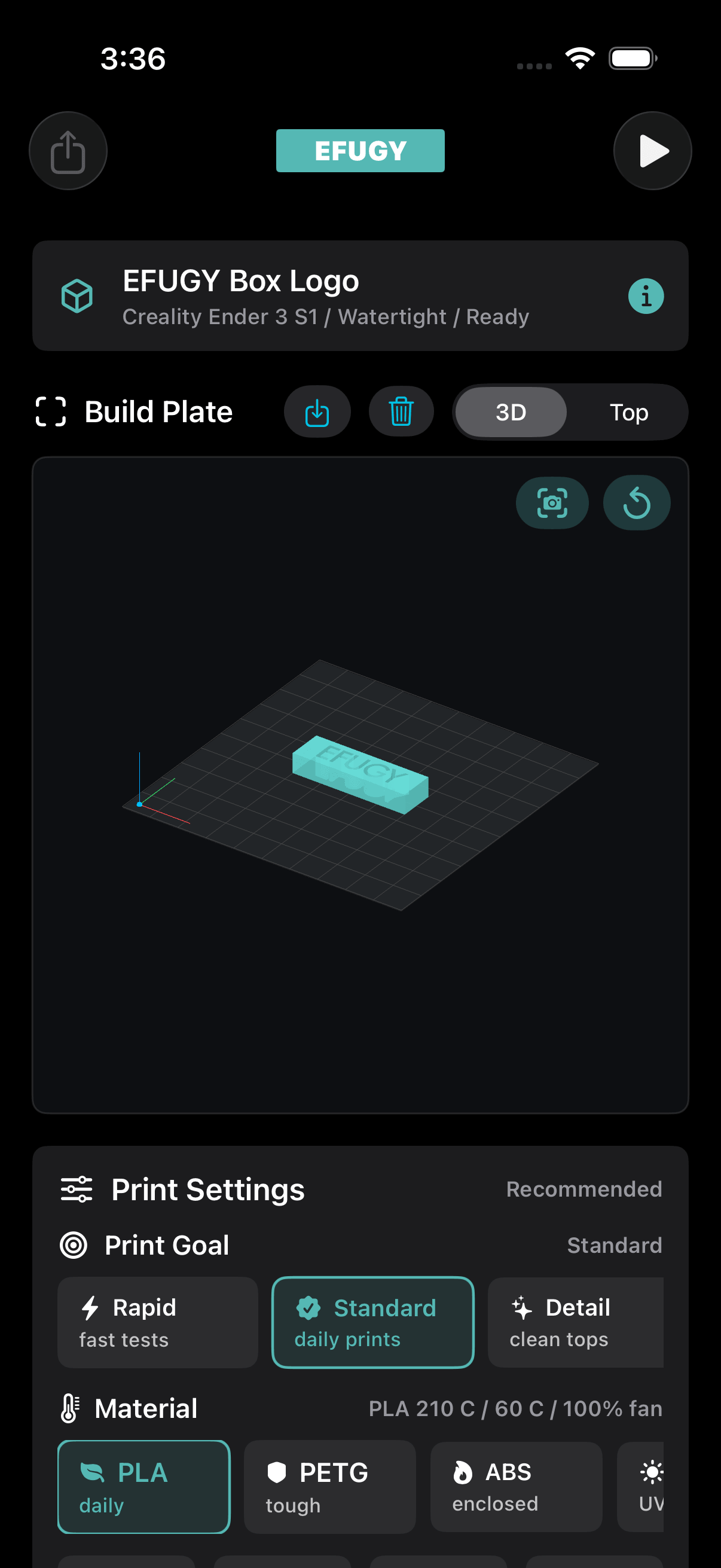

From model to machine
A pocket workflow for real 3D print decisions.

Import models.
Bring STL or OBJ files in from Files, iCloud Drive, AirDrop, USB-C storage, another app, or your favorite 3D model website.
Choose settings.
Select printer, material, nozzle, quality, infill, support, and print-goal settings before export.
Preview results.
Review the build plate, model placement, toolpath, and compatibility warnings before printing.
Export G-code.
Save and move exported files through the iOS workflow you already use for your printer setup.
Flow
Import, configure, preview, export.
1. ImportOpen STL or OBJ model files.2. ConfigurePick printer, material, and quality.3. ReviewCheck mesh, build volume, and toolpath.4. ExportSave G-code for your print workflow.Why it fits the ecosystem
Software for the maker side of Rule Mobile and EFUGY.
EFUGY 3D Slicer connects the app label with the maker brand: a mobile utility for print review, settings decisions, profile testing, and the everyday process of turning digital models into physical objects.
- Useful for EFUGY filament, model, and maker content.
- Designed for iPhone and iPad, iOS 17 or later.
- Support and privacy pages are already live.
Privacy posture
Local-first by design.
EFUGY is positioned clearly for users and App Review: no account requirement, no cloud slicing account, no ads or third-party analytics, and user-controlled exports.
 No account requiredCore workflows do not require a login.On-device workflowModel files and settings stay local unless shared.
 No ads or trackingClear public-facing privacy language.User exportsG-code is exported when the user chooses.
Print safely
Always review before sending code to a printer.
3D printers are mechanical and thermal devices. EFUGY helps users review settings, but final printer safety still belongs to the person running the machine.
- Confirm printer profile, bed size, nozzle size, and firmware expectations.
- Check temperatures, material, first layer, support, and build volume.
- Supervise prints according to the printer manufacturer's guidance.