

Version 1.0.2 · Mac, iPhone & iPad
The board, in clear view.
Find a component. Pick a pin. Trace the source connections without losing the board around them. CopperScope brings PCB inspection to the desk, the bench, and the device in your hand.
 Apple silicon
 Intel Mac
 iPhone
 iPad
 Get CopperScope
A closer look at 1.0.2
TVW joins the mobile workspace.
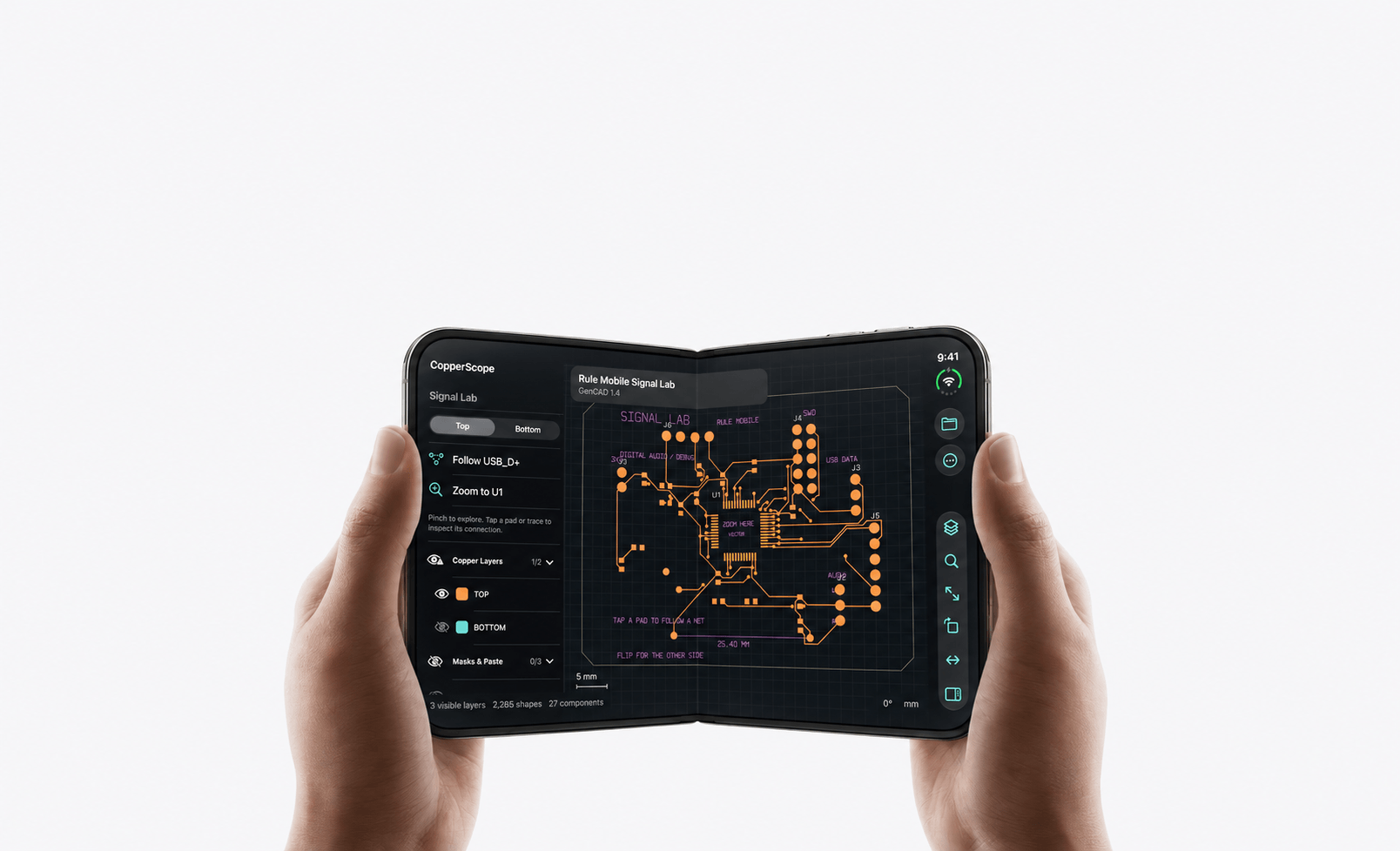
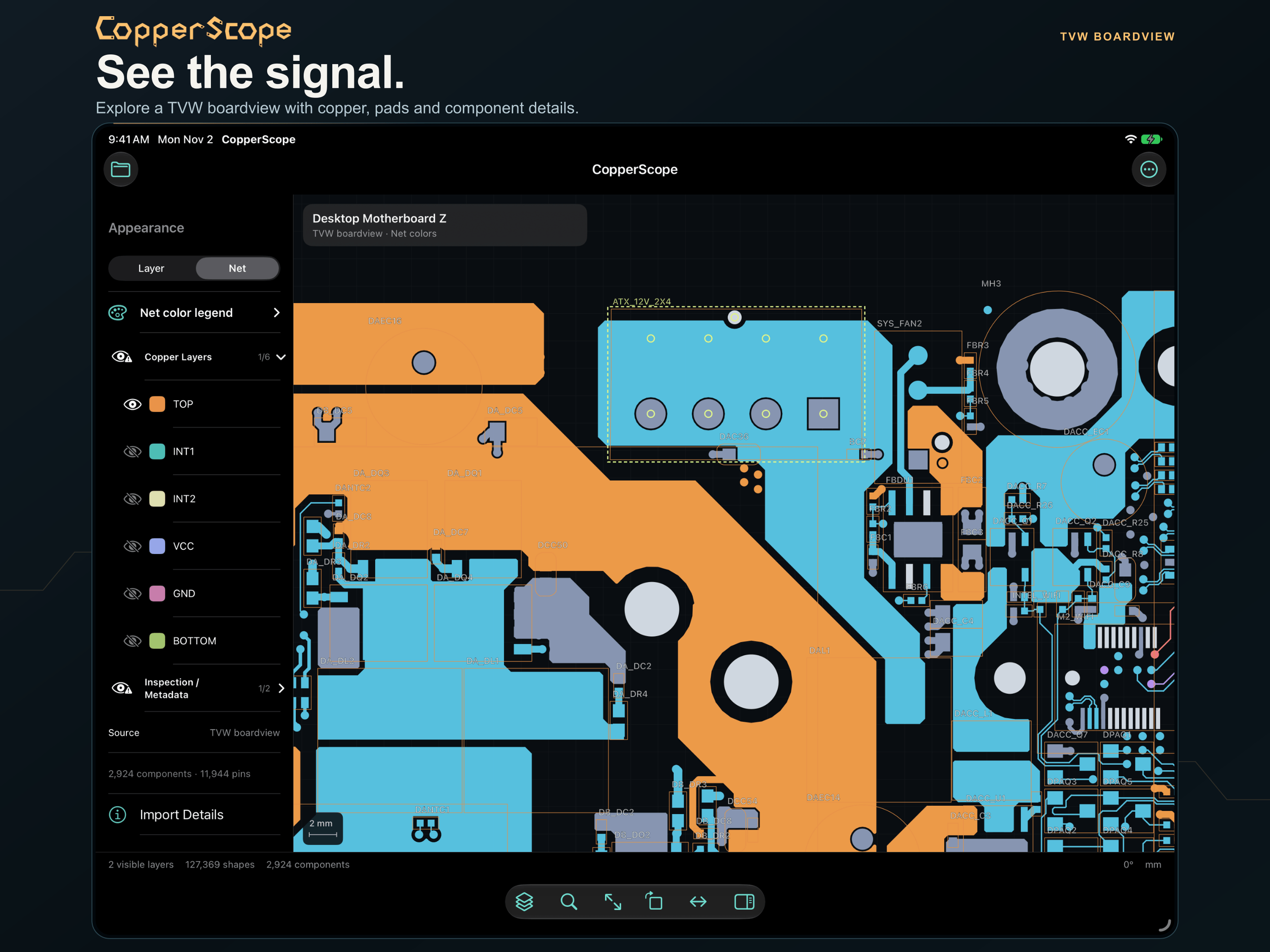
Version 1.0.2 adds supported .tvw Tebo ICT-view boardviews on iPhone and iPad. Inspect the copper, component contours, pins, and nets contained in the source, then make a PDF or SVG reference of the visible artwork.
Supported .fz boardviews are part of the mobile toolset too. Rather than relying on the filename alone, CopperScope identifies the source contents and reports what the file provides.
A contact-only boardview may contain pins and net names without routed copper. File family, revision, and platform determine the detail available.
Read the source
Keep the geometry.
Follow the connection.
Search a reference or net name, select a pin, and highlight its imported connections. Pan, rotate, flip, and switch layers to keep the useful detail in view.
Start with Signal Lab
Six families.
One readable board.
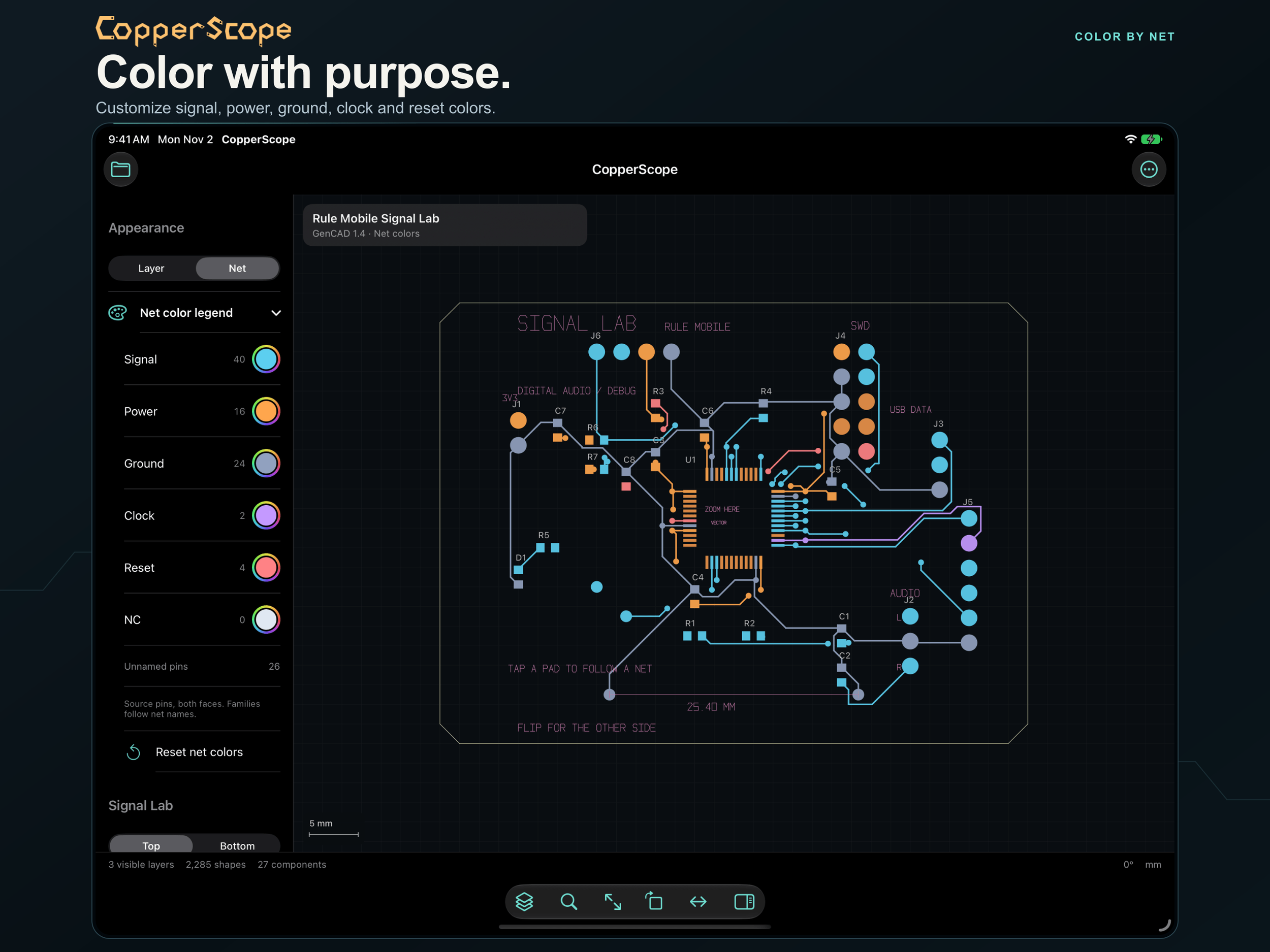
Turn on Color by Net to distinguish signal, power, ground, clock, reset, and NC families. Adjust the palette in the compact legend.
The interactive Rule Mobile Signal Lab sample gives you an original board to explore immediately. Follow USB_D+, examine the controller, and switch faces while learning the tools.
From the file to the bench
An inspection workflow.
Not a redesign detour.
Use the source you have.
Qualified Cadence Allegro and PADS sources, Gerber artwork, and Excellon drill records are supported, alongside other documented boardview families. Mac and mobile coverage differ.
Keep the reference beside it.
On Mac, open a schematic PDF alongside the board. Finder Quick Look previews help you recognize supported files before settling into the inspection workspace.
Take the detail with you.
Export visible artwork to PDF or SVG. Where the source establishes physical units, preserve 1:1 scale. Check source dimensions and printer scaling before using a physical reference.
CopperScope inspects imported data and exports references; it does not replace your PCB authoring application. Check platform coverage and source limits before choosing a workflow.
Local by design
Your board files.
Your workspace.
Board parsing and inspection run entirely on your device, including offline. There is no cloud parser and no telemetry. You choose when to export a reference or share a file using your device’s own controls.
One purchase · No subscription
At the desk.
Beside the board.
One purchase covers Mac, iPhone, and iPad when you use the same Apple Account. Apple silicon and Intel Macs are supported. Check the App Store for current device requirements and your local price.
 Original software, sample board, and inspection workspace by Rule Mobile.
