
How to Build and Play SoulCalibur II Plus on GameCube with Swiss
Rule Mobile Retro Guide
 Rule Mobile Retro Guide
Build SoulCalibur II Plus for GameCube and Swiss on macOS.
SoulCalibur II Plus brings the original console guest fighters into one expanded mod and adds costumes, voices, stage textures, randomized Weapon Master content, and an extra Siegfried slot. This guide documents a hash-verified 0.9.8.4 image that completed real matches through Swiss on GameCube.

Use your own legally dumped SoulCalibur II USA disc image. The commands below verify and patch a personal backup; this guide does not provide a commercial game image.
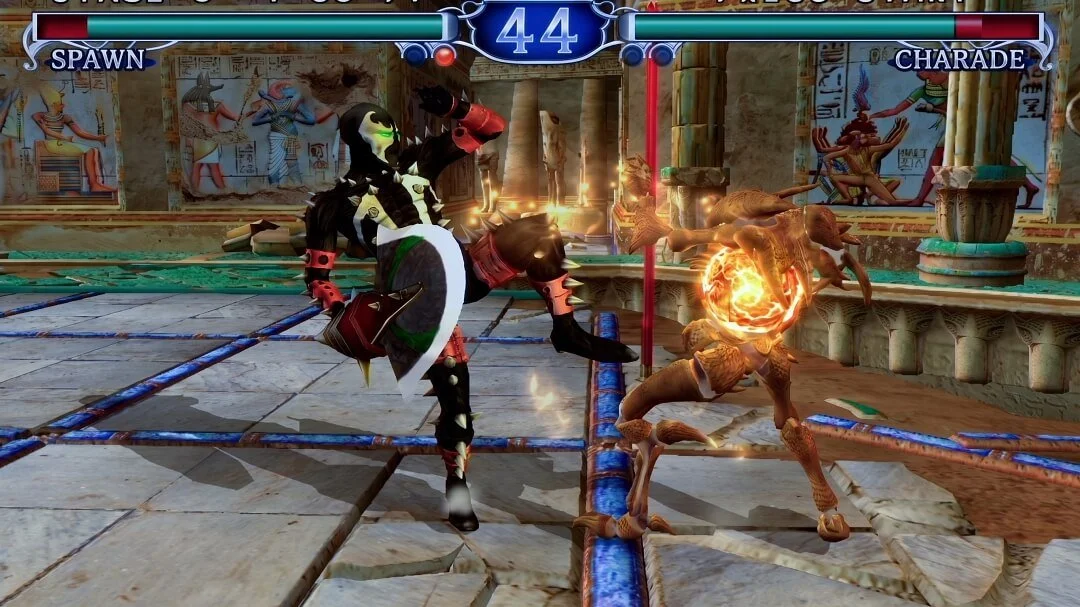
 See the gameplay proof
60-second answer
Verify the image before you troubleshoot the game.
Start with a clean USA ISO, confirm the base hash, apply the official patch, verify the final 0.9.8.4 image, and copy it to SD as a fresh file. On the tested GameCube path, Swiss reached character select, loaded several matchups, and completed fights without freezing.
Real matches completed
The tested image booted through Swiss, reached character select, loaded several matchups, and finished fights.

Normal ISO
The working image stays under 4 GB as a standard GameCube ISO, so FAT32 splitting is not part of this workflow.
Verified hashes
Check the clean base dump first, then check the final modded ISO before copying it to SD.

Swiss-friendly card
Copy to the SD card as a fresh file, clean macOS sidecars, sync, then eject cleanly.
Known-good verification values
- Final ISO
- Soul Calibur II Plus 0.9.8.4 - Swiss Safe.iso
- MD5
- 55d42e2414669f8abb90c00446150fdd
- SHA1
- aec00cad896b4dd634686cfc317b520b705bc994
- Size
- 1,459,978,240 bytes
- Base USA MD5
- 0c8ec93f3f4f4e00d5a46443225c169c
What the mod adds
One bigger SoulCalibur II roster and feature set.
SoulCalibur II Plus combines the original console guest-character idea with extra characters, presentation changes, and replay features. The GameCube edition is the project's most feature-rich version.
All three guest fighters
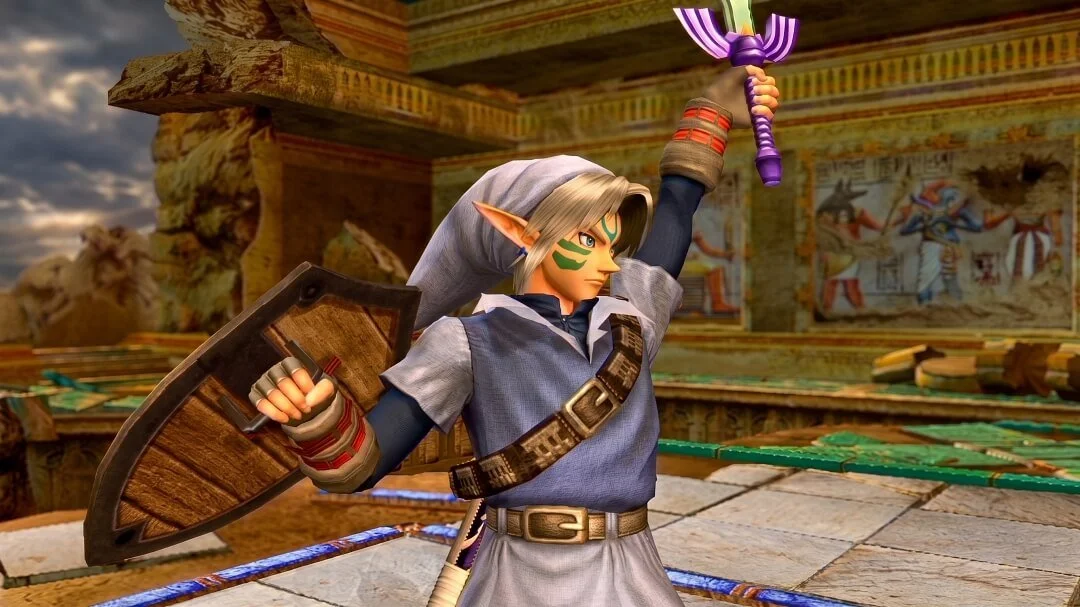
Link, Spawn, and Heihachi are no longer separated by the original GameCube, Xbox, and PlayStation 2 releases.
More presentation options
Additional costumes, custom voices, character skins, and stage textures expand the original game's visual mix.

Extra Siegfried slot
A separate Siegfried entry uses selected Soulcalibur-era moves and enables direct Nightmare-versus-Siegfried matchups.
Weapon Master variety
A randomizer gives Weapon Master runs more variation beyond the original campaign structure.
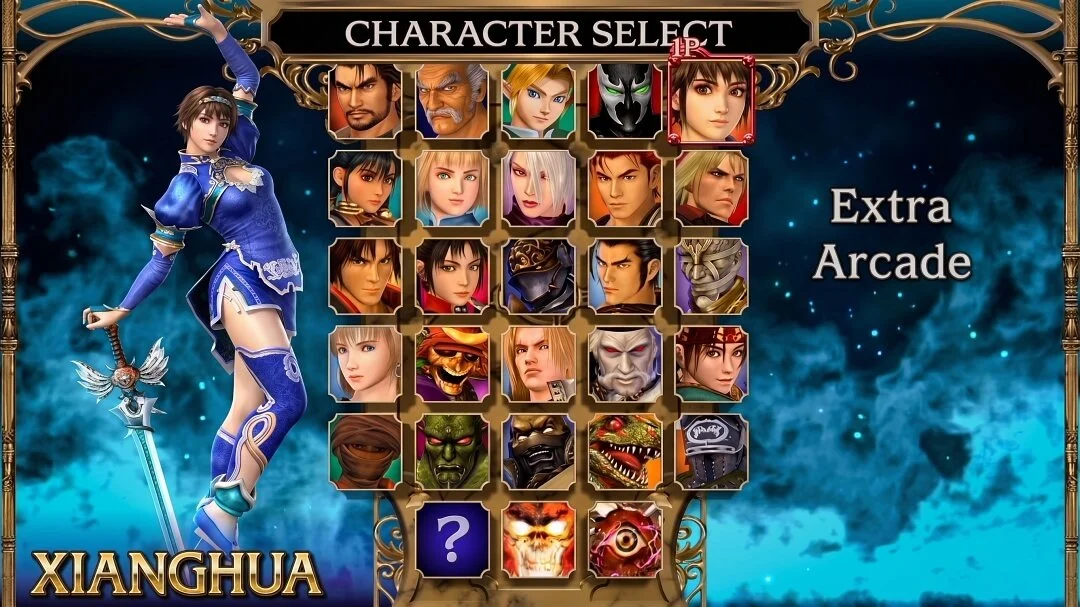
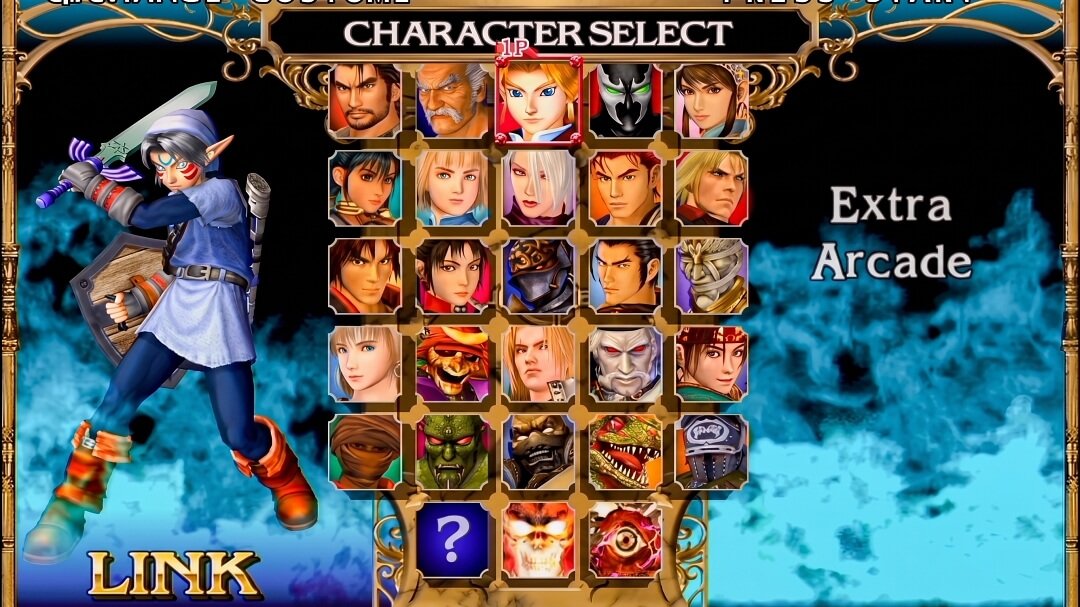
The project currently lists a newer 0.9.9.9 GameCube release. The hashes and hardware claims in this guide remain tied to the specifically tested 0.9.8.4 image so readers can reproduce the same result.
Gameplay proof
Character select was only the start.
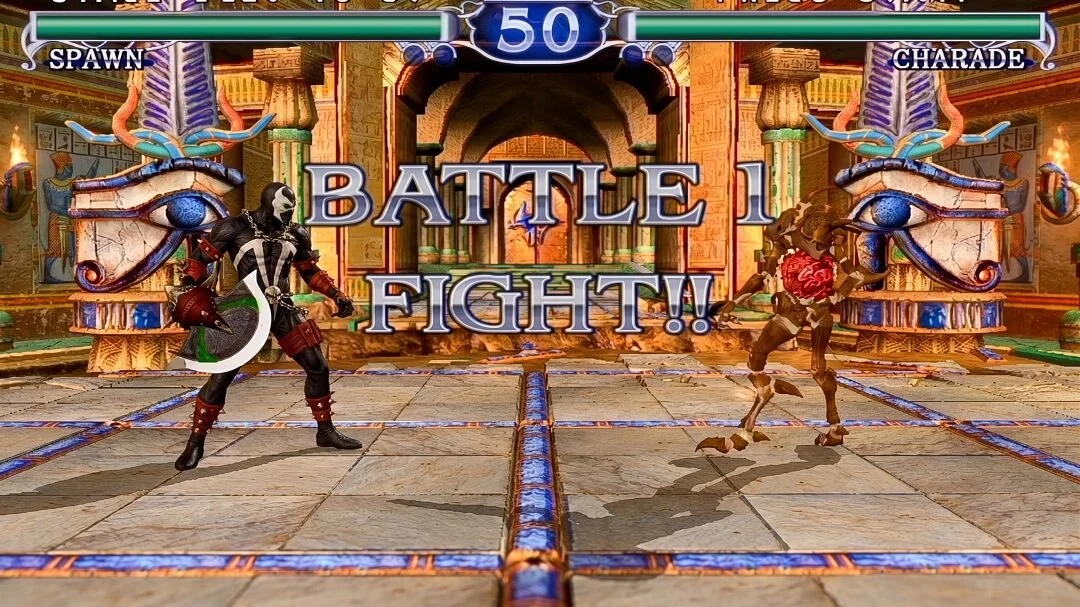
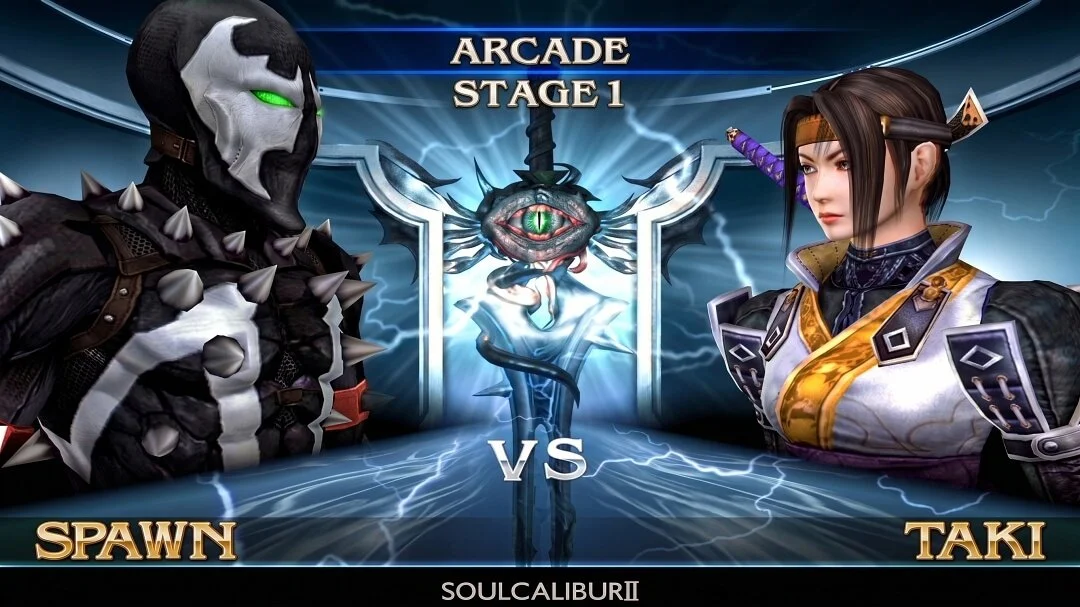
The tested image continued into real battles through Swiss. These Rule Mobile captures show the match screen, live combat, and a completed victory sequence.
Sources and tools
Get the mod and verification tools.
Open the SoulCalibur II Plus project page first. WIT identifies the GameCube image, xdelta3 applies patch packages when required, and macOS Terminal verifies both the source and finished files.
Official project page and release information for the mod.
GameBanana mod hub GameBanana mod hub
SoulCalibur II GameCube mod hub and related community files.
Wiimms ISO Tool Wiimms ISO Tool
WIT is used here to inspect and verify the GameCube image.
xdelta3 xdelta3
Only needed when your official mod package is distributed as an xdelta patch.
 Tested build note
This article documents the tested 0.9.8.4 GameCube path, including the final hash and Swiss copy checks below.
This workflow uses Terminal tools like md5, shasum, cp, mv, sync, and dot_clean.
macOS workflow
Easy setup with Terminal and one clean folder.
Keep the base dump, mod files, tools, and finished ISO separated. If a check fails, this layout makes the problem easy to isolate.
Create the workspace
Put your personal clean dump at $HOME/SC2PlusBuild/input/Soulcalibur II (USA).iso.
mkdir -p "$HOME/SC2PlusBuild"/{input,mods,tools,output}
cd "$HOME/SC2PlusBuild"Install WIT locally
WIT is the inspection tool. This keeps the guide self-contained without changing your whole Mac setup.
cd "$HOME/SC2PlusBuild/tools"
curl -L -o wit-v3.05a-r8638-mac.tar.gz \
  "https://wit.wiimm.de/download/wit-v3.05a-r8638-mac.tar.gz"
tar -xzf wit-v3.05a-r8638-mac.tar.gz
export PATH="$HOME/SC2PlusBuild/tools/wit-v3.05a-r8638-mac/bin:$PATH"
wit versionVerify the clean base ISO
Stop if these hashes do not match the version and region required by the patch. A converted or mismatched base can finish patching and still fail when Swiss loads the game.
cd "$HOME/SC2PlusBuild"
md5 -r "input/Soulcalibur II (USA).iso"
shasum -a 1 "input/Soulcalibur II (USA).iso"
wit DUMP "input/Soulcalibur II (USA).iso" | sed -n '1,80p'- Expected USA MD5
- 0c8ec93f3f4f4e00d5a46443225c169c
- Expected USA SHA1
- 49f281fbe7086a4eb400a03c869fcac5f90df55a
- Avoid patching
.rvz,.nkit.iso,.ciso,.gcz, scrubbed, or trimmed images unless the mod explicitly supports that exact file. - Use a full normal
.isoas the base.
Apply the official patch when needed
If your official SC2 Plus package is an .xdelta patch, place it in mods/SC2Plus.xdelta and apply it against your clean dump.
cd "$HOME/SC2PlusBuild"
xdelta3 -d -f \
  -s "input/Soulcalibur II (USA).iso" \
  "mods/SC2Plus.xdelta" \
  "output/Soulcalibur II Plus.iso"
If the official package already produced a GameCube ISO, verify that file before rebuilding it. An unnecessary conversion can change the image and make hardware troubleshooting harder.
Verify the final ISO
The tested hardware-stable 0.9.8.4 GameCube build reported as a normal GameCube ISO with disc ID PLUSC2.
md5 -r "output/Soulcalibur II Plus.iso"
shasum -a 1 "output/Soulcalibur II Plus.iso"
wit DUMP "output/Soulcalibur II Plus.iso" | sed -n '1,80p'- Tested final MD5
- 55d42e2414669f8abb90c00446150fdd
- Tested final SHA1
- aec00cad896b4dd634686cfc317b520b705bc994
- WIT identity
- ISO/GC, disc=PLUSC2, boot=PLUSC2, disc name SOULCALIBUR2
Swiss SD card
Copy once, copy clean.
Use a temporary filename while copying. Rename only after the copy completes, clean macOS sidecar files, then verify the SD copy before ejecting.
SD="/Volumes/NO NAME"
ISO="$HOME/SC2PlusBuild/output/Soulcalibur II Plus.iso"
NAME="Soulcalibur II Plus.iso"

rm -f "$SD/$NAME" "$SD/$NAME.copying"
cp -X "$ISO" "$SD/$NAME.copying"
mv "$SD/$NAME.copying" "$SD/$NAME"

dot_clean -m "$SD"
find "$SD" -name '._*' -print -delete
sync

md5 -r "$SD/Soulcalibur II Plus.iso"
shasum -a 1 "$SD/Soulcalibur II Plus.iso"
diskutil eject "$SD"- Use one clean TV-facing filename:
Soulcalibur II Plus.iso. - Start Swiss, browse to the ISO, press
A, and boot normally. - The tested build should pass the title screen, reach character select, and enter fights without freezing.
Troubleshooting
Fix the failures that stop real matches.
The stable path is not hard. Most failures come from patching the wrong base, testing the wrong file, or starting with an experimental build before the normal mod passes real hardware.
Starting with the experimental costume-injection image
The failed first attempt reached the new splash and character select, then froze while loading character-selection assets. Start with the upstream stable SC2 Plus build first. Add costume experiments only after the base mod passes hardware testing.
Leaving multiple confusing SC2 Plus files on the SD card
Do not keep SC2Plus_EnhancedExp.iso, SC2Plus_SwissSafe.iso, and renamed copies side by side. Use one clean filename so Swiss is not a guessing game.
Overwriting a bad SD copy in place
If a copy failed, delete it and copy fresh. The temporary .copying filename prevents half-written files from looking complete.

Letting macOS sidecar files clutter Swiss
Use cp -X, dot_clean -m, and the find "$SD" -name '._*' cleanup command so hidden AppleDouble files do not crowd the SD card view.
Patching a converted or mismatched base image
An xdelta patch is usually built for one exact base file. Verify the hash before patching. Do not use RVZ, NKit, CISO, GCZ, scrubbed, or trimmed images as the base unless the project says so.
Assuming the newest release is automatically hardware-stable
Newer public releases may be worth testing, but this guide only claims the tested 0.9.8.4 GameCube setup as Swiss-safe for this hardware path.
Reference links
Project and verification links.
Use the project page for release context, GameBanana for the broader mod hub, WIT for image inspection, and xdelta3 when the package supplies an xdelta patch.
