
How to downgrade Jasper Xbox 360 to Blades Dashboard
 Rule Mobile Retro Guide

Can a Jasper Xbox 360 go back to Blades?
The short answer: not with a normal USB update. The Xbox 360's eFuse system makes a true stock downgrade a dead end, but preservation-minded modders still have two practical routes to the classic Blades experience.
Educational preservation note: console modification can void warranties, brick hardware, and violate service terms if used irresponsibly. This article explains the landscape and decision points. It is not a pad-by-pad soldering tutorial, piracy guide, or online-ban avoidance guide.
Blades dashboard reference shots
These captures show why the old dashboard still has such a pull: wide panes, physical tab language, oversized menu text, and a UI that feels more like a console appliance than a storefront.
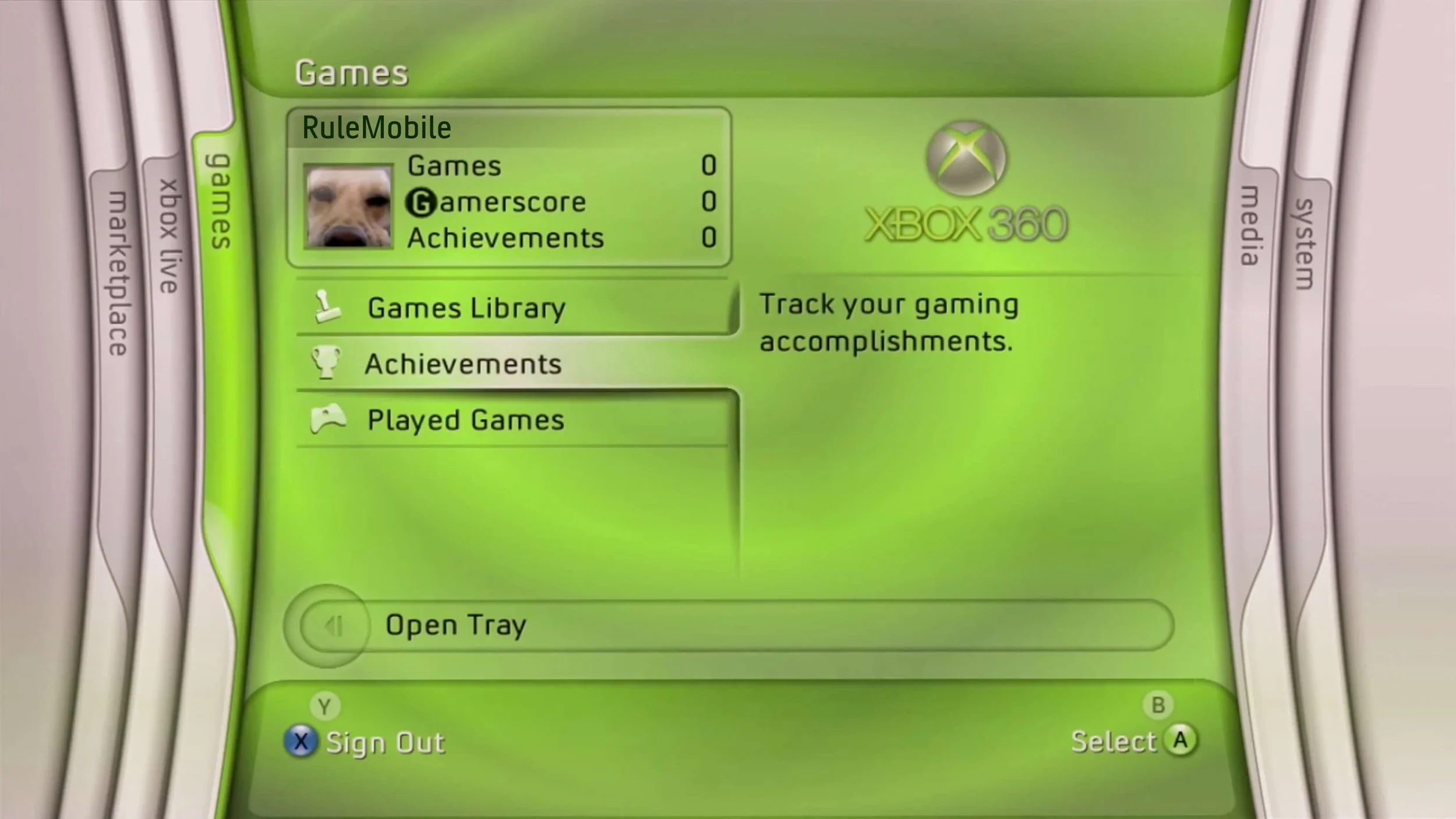
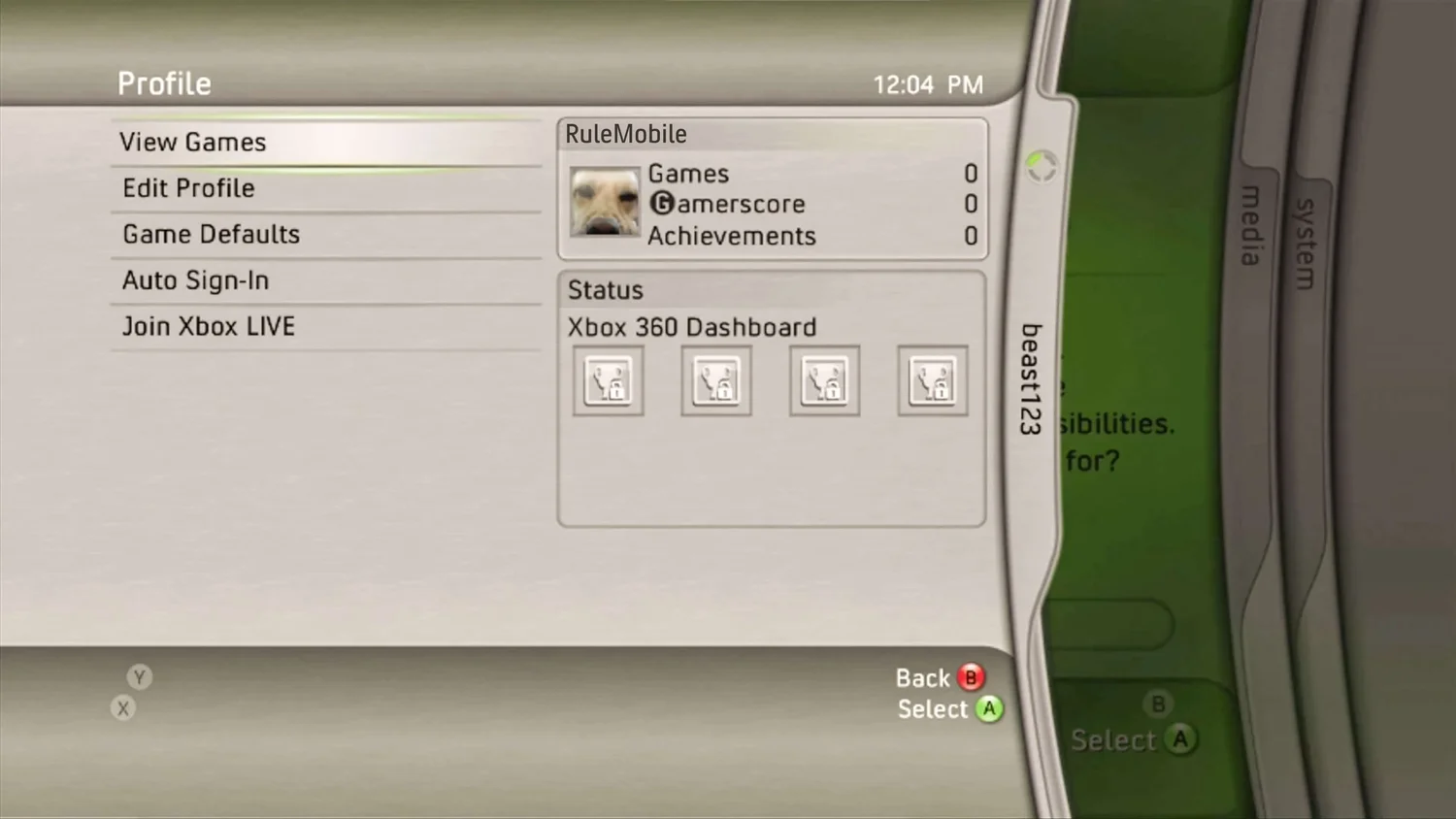
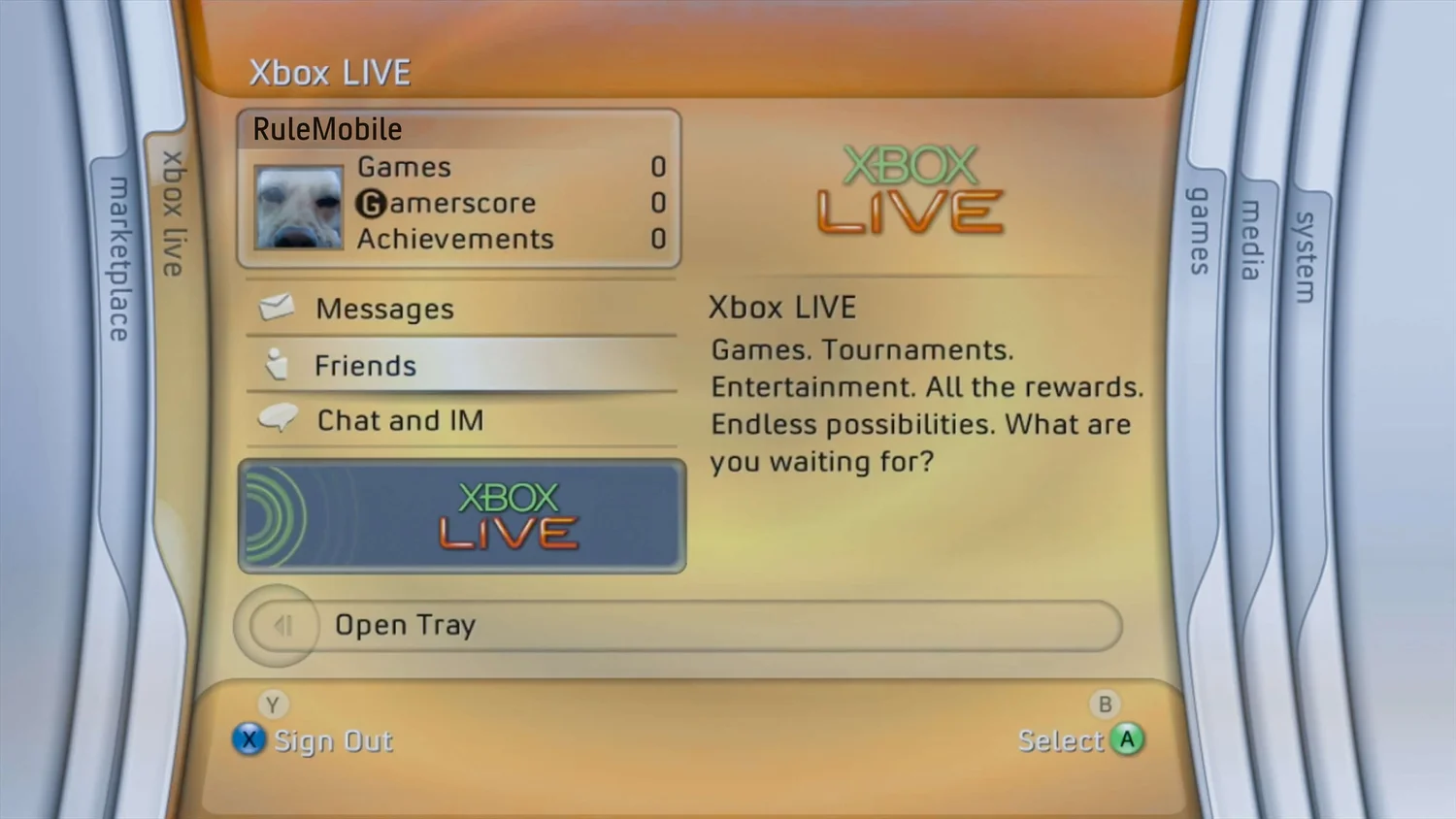
60-second answer
If the goal is a Jasper Xbox 360 that feels like 2008 again, the important distinction is stock downgrade versus modified-console dashboard restoration.
Official updates are one-way
A normal Xbox 360 cannot simply install an older dashboard from a flash drive. Official updates advance the console's fuse state, and the boot chain checks that history.

The fuse count is permanent
Electronic fuses are burned as part of the console's update history. Once burned, they cannot be un-burned, which blocks a simple return to older retail firmware.

Modified consoles change the equation
RGH or JTAG style setups can run patched NAND images that skip the normal eFuse check. That is how older dashboards or Blades-style environments become possible.
Why Blades is not just a file
The Blades dashboard is not a theme you can install over modern Xbox 360 software. It belongs to an older system era with different kernel behavior, compatibility assumptions, and boot rules.

The useful mental model
Think of the dashboard as the visible interface, the kernel as the engine underneath it, and the eFuse count as a permanent update receipt. You can replace the interface on a modified console, or build a custom older image, but you cannot make a fully updated retail console forget its fuse history.
The two real routes
For most people, the right answer depends on whether they want museum accuracy or daily usability.
True older-kernel Blades build
Closest to the original experience, but also the most compatibility-limited.
- Built around an older Blades-era dashboard image such as
6717. - Best for a display piece, preservation project, or era-specific console.
- Can lose compatibility with later games, avatars, Kinect-era features, and modern conveniences.
Modern kernel with Blades-style shell
The practical route if the console still needs to play a broad library.
- Keeps a modern dashboard base such as
17559underneath. - Loads a Blades-style interface as the default environment on a modified console.
- The main dashboard feels classic, while some system overlays and compatibility behavior remain modern.
RGH 1.2 vs. RGH 3 on Jasper
The attached notes are right to treat Jasper differently from slim Xbox 360 boards. Jasper is part of the original "Phat" family, and that changes the reliability conversation.
Falcon and Jasper preservation builds where consistent booting matters.
Slim and E models are usually the cleaner fit; Phat consoles can be more stubborn.
Uses an external glitch chip for timing.
Uses the console's SMC path instead of a traditional glitch chip.
The safer recommendation for a Blades preservation console.
Possible in the community, but not the first choice when the goal is stability.
What the workflow looks like
This is the high-level sequence, not a soldering map. If you are not already comfortable with micro-soldering and NAND recovery, this is a job for an experienced installer.
Identify the console
Confirm the board revision before planning anything. Jasper consoles are commonly associated with the 150W / 12.1A generation, but physical inspection is the better confirmation.
Back up before touching firmware
The original NAND dump is the safety net. Serious projects verify repeated dumps before building or writing any custom image.
Recover the console key
Modified workflows depend on the console-specific CPU key. Without the right key material, you cannot safely build a working image for that unit.
Choose the Blades goal
Pick true older-kernel authenticity or modern-kernel usability before flashing anything. Switching goals later can mean rebuilding the setup.
Keep it offline unless you know why
Modified consoles can conflict with platform terms and online services. For a preservation machine, offline use is usually the calmest answer.
Document the build
Save board photos, NAND backups, dashboard version notes, and any configuration choices. Future-you will thank present-you.
Should you do it?
A Blades Jasper is cool because it is specific. It is not the best path for every Xbox 360 owner.
You want a preservation console
This makes sense if the console is a display piece, offline retro setup, museum-style build, or a project for someone already comfortable with Xbox 360 recovery workflows.
You just want to play games
If you want the broadest library and the least headache, a clean modern dashboard or a carefully configured modern-kernel setup is the better daily driver.
Source shelf
These references informed the technical framing without turning this post into a step-by-step exploit guide.
ConsoleMods: RGH 1.2
RGH 1.2 guide explains why the method is associated with reliable Falcon/Jasper glitching.
Free60: fusesets
Fusesets reference explains the Xbox 360 eFuse concept and why fuse history matters during boot.
ConsoleMods: RGH 3
RGH 3 notes explain the newer SMC-based method and the special caveats around Falcon, Jasper, and Tonasket boards.
Weekend Modder: identify
Motherboard identification guide helps confirm Jasper and other Xbox 360 board revisions before planning a build.
